When performing HPLC analysis, few things are more frustrating than your instrument suddenly "acting up" – pressure climbing inexplicably, peaks becoming distorted, retention times drifting back and forth... In most cases, the culprit is a blocked column. Don’t panic. With a practical set of troubleshooting and unblocking methods, you can bring your column back to life, extend its service life, and save your lab considerable costs.
1. First, determine: Is the column really blocked?
To solve the problem, you must first confirm it. When your HPLC system shows these “abnormal signals”, you should suspect a blocked column:
Abnormally high pressure: This is the most obvious sign. System pressure is significantly higher than when the method was first established, or it climbs rapidly over a short time.
Distorted peaks: Peaks become irregular – splitting, tailing, fronting – peak areas decrease noticeably, and separation performance deteriorates.
Retention time drift: The retention time of the target compound becomes unstable and shifts considerably.
Severe pressure fluctuation: Pressure goes up and down erratically even when no sample is injected.
2. Next, locate: Is the blockage in the column or elsewhere?
When you see high pressure, don’t automatically blame the column – other parts of the system may also be at fault. A simple “disconnection method” can help you pinpoint the problem:
Disconnect the column: Remove the column from the flow path and connect the pump directly to the detector using a union or zero‑dead‑volume connector.
Run the method: Flush the system at the normal flow rate.
Observe the pressure:
If the pressure remains high, the blockage is somewhere before the column – possibly the inlet filter, guard column, in‑line filter, or tubing. These need to be checked individually, cleaned, or replaced.
If the pressure returns to normal, the problem is most likely in the hplc column itself or the guard column. Try removing or replacing the guard column first. If pressure becomes normal, the guard column is dirty.
If pressure stays high, then the analytical column is blocked.
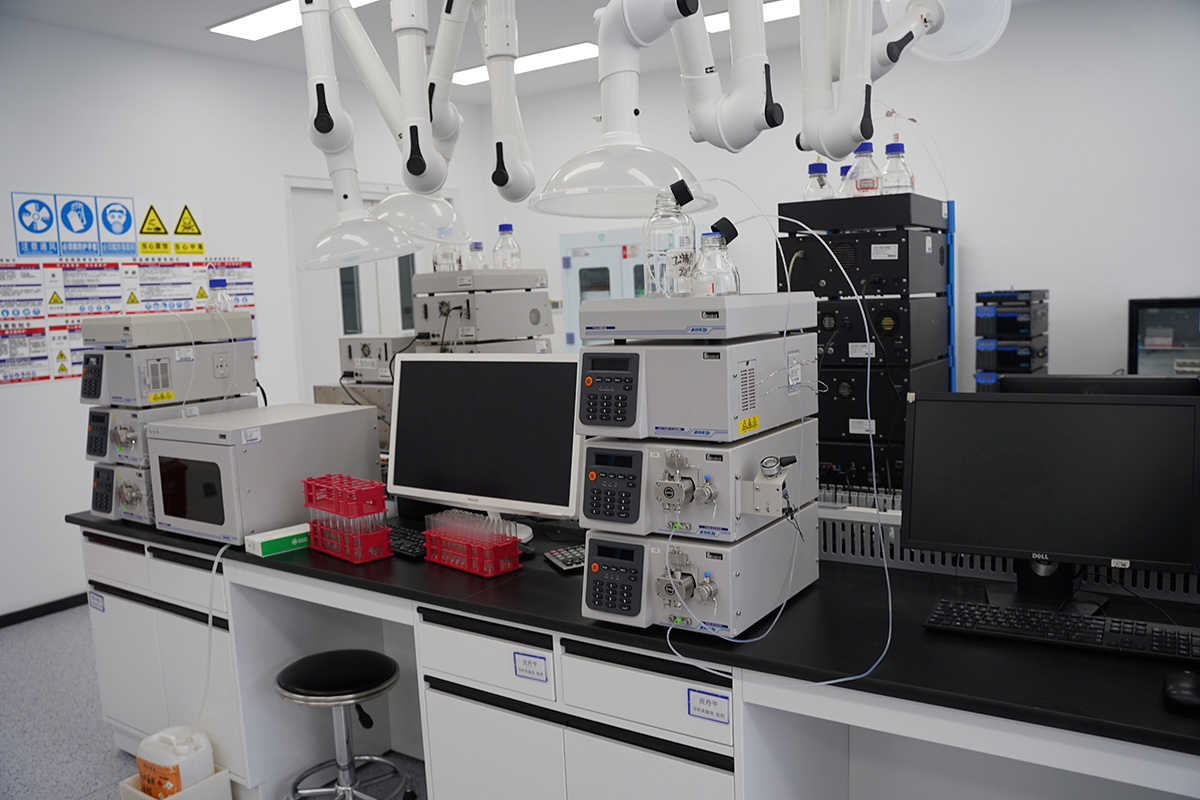
3. Practical unblocking: Four steps to clear a blocked column
Once you have confirmed the column is blocked, cleaning should follow the principle “from mild to strong”. Do not start with aggressive solvents and high flow rates, as this may cause secondary damage to the column.
Step 1: Reverse flushing (common and effective)
Most analytical columns allow reverse flushing (but always check the manual first!). Reverse the inlet and outlet connections of the column and flush with an appropriate mobile phase. This can wash out particulate contaminants trapped at the column inlet.
Note: Some specially bonded columns, e.g., certain sugar analysis columns, are not recommended for reverse flushing. Always consult the instruction manual before proceeding.
Step 2: Gradient cleaning (for strongly retained contaminants)
Depending on the nature of the contaminants (e.g., lipids, proteins, highly hydrophobic substances), choose an appropriate sequence of cleaning solvents. Before cleaning, ensure that all solvents are miscible with the current mobile phase to prevent salt precipitation!
Recommended cleaning sequence:
First, flush with pure water (or 95% water + 5% organic) at a low flow rate (0.2‑0.5 mL/min) for 30 column volumes to remove buffer salts.
Then flush with a strong solvent (e.g., acetonitrile or methanol) at low flow rate for 30 column volumes.
For organic contaminants: follow the sequence: acetonitrile → isopropanol → dichloromethane (or chloroform – check column compatibility) → isopropanol → acetonitrile. Flush with each solvent at low flow rate for 20‑30 column volumes.
For protein / biological samples: a sequence such as 0.1% TFA in water → acetonitrile → isopropanol can be used.
Finally, re‑equilibrate the column with the initial mobile phase.
Step 3: Replace the frit / regenerate
If cleaning does not work, the inlet frit may be severely clogged. Experienced users may try replacing the inlet frit under the guidance of the manufacturer. However, this carries some risk of disturbing the packed bed. For valuable columns, it may be better to contact the manufacturer for professional regeneration.
Step 4: Last resort
If all else fails, and the column is out of warranty and not very expensive, you could try the following: remove the column end‑fitting, gently wipe the frit with a soft cloth moistened with solvent, or carefully clear it with a very fine needle. This operation is very risky – it will likely affect column efficiency and easily damage the column. It should only be attempted as a last‑ditch effort, with the understanding that it may not succeed.
4. Daily maintenance: Preventing blockage is more important
In fact, 90% of blockage problems can be avoided by good operating habits. Preventing problems is far easier than fixing them:
Always use a guard column: A guard column acts as a “shield” for your analytical column, effectively trapping particles and strongly retained compounds at a low cost.
Prepare samples properly: All samples must be filtered through 0.22 µm or 0.45 µm membranes to completely remove fine particles.
Handle mobile phases carefully: All mobile phases, especially aqueous solutions and buffer salts, must be prepared with high‑purity reagents and filtered/vacuum‑degassed. Buffers should be freshly prepared and used promptly to prevent microbial growth.
Use appropriate transition when changing mobile phases: After a run using buffer salts, you must flush with a high‑aqueous phase (>10% water) for at least 30 minutes at an appropriate flow rate to completely remove salts before switching to organic solvent for storage. Never leave the column in a buffer solution for long periods.
Be gentle with operation: Avoid drastic changes in flow rate and pressure, and respect the column’s pH and pressure limits.
The column is the “heart” of your HPLC method – it is important and also costly. Mastering proper blockage handling and daily maintenance techniques will not only save you valuable experiment time and repair costs but also ensure the accuracy and reliability of your analytical data. The next time you see pressure soaring, you will be able to respond calmly and get your chromatograph back to efficient working order quickly.